
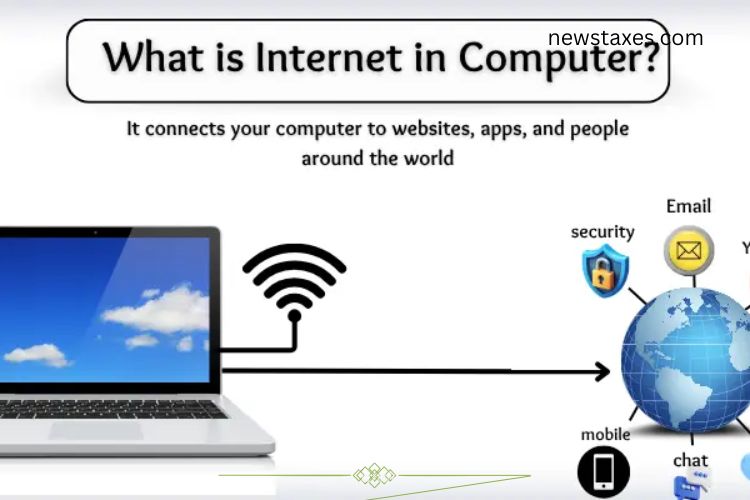
The internet in a computer is a system that connects it to millions of other computers around the world. It allows your device to send and receive information almost instantly. With the internet, you can watch videos, read news, play games, or chat with friends. To access the internet, a computer needs a connection device such as a modem, router, or Wi-Fi. In simple terms, the internet is the gateway for your computer to explore the digital world and access endless information.
Read More: https://newstaxes.com/applications-vs-system-software/
History of the Internet
The internet is a part of daily life today. We use it for work, learning, entertainment, and communication. But the internet was not created overnight—it developed gradually over decades. Understanding its history helps us appreciate its importance.
The Beginning of the Internet
The story of the internet begins in the 1960s when the U.S. Department of Defense created a small network called ARPANET. This network connected computers in universities and research centers, allowing them to share information quickly. ARPANET became the foundation for the internet we use today.
Stronger Internet with TCP/IP
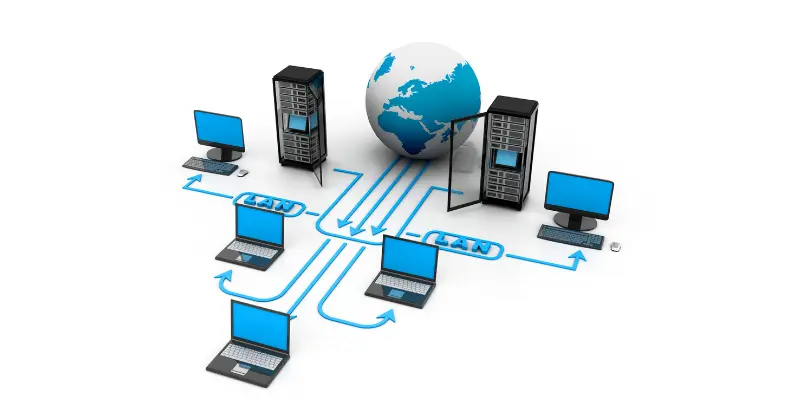
In the 1970s, two visionary scientists, Vint Cerf and Bob Kahn, introduced TCP/IP, a set of rules that allowed different networks to communicate with each other. This breakthrough made it possible for multiple networks to connect seamlessly, greatly expanding the internet’s reach and usefulness.
The World Wide Web Revolution
In 1989, Tim Berners-Lee invented the World Wide Web, creating tools like HTML and URLs to access websites easily. This innovation transformed the internet from a technical network into a platform accessible to everyone. By the 1990s, homes, schools, and offices worldwide had internet access.
How Does the Internet Work in a Computer?
The internet enables computers to communicate with each other and share data efficiently. Here’s a simplified step-by-step explanation:
- Sending a Request: When you type a website address in a browser like Chrome or Firefox, your computer sends a request to access that site.
- Passing the Request: The router in your home or office receives this request and sends it to the internet.
- Reaching the Server: The request travels through cables, satellites, or wireless signals to reach a server—a powerful computer storing the website or file.
- Locating Data: The server finds the exact information you requested.
- Returning Data: The server sends the information back along the same path.
- Displaying Results: Your browser displays the website, video, or file on your screen.
This process happens within seconds, making online activities fast and seamless.
Types of Internet Connections
The internet can reach your computer in different ways. Each type offers varying speeds and reliability:
- Dial-up Internet: Uses a telephone line and is very slow.
- DSL (Digital Subscriber Line): Faster than dial-up, also uses phone lines.
- Cable Internet: Uses TV cables for high-speed internet.
- Fiber Optic Internet: Transfers data using light, offering ultra-fast speed.
- Satellite Internet: Works via satellites, ideal for remote areas.
- Wireless (Wi-Fi): Connects devices without wires, common in homes and public places.
- Mobile Data (3G/4G/5G): Provides internet via mobile networks, perfect for smartphones and tablets.
Uses of Internet in Computer
The internet opens countless opportunities for computers, making life easier and more connected. Some key uses include:
- Searching Information: Quickly find answers and resources online.
- Sending Emails: Exchange messages instantly with people worldwide.
- Online Learning: Access courses, videos, and tutorials anytime.
- Watching Videos and Movies: Enjoy entertainment on platforms like YouTube and streaming services.
- Playing Online Games: Connect and compete with players globally.
- Social Media: Stay in touch with friends and family.
- Shopping Online: Buy clothes, books, and more from home.
- Banking and Payments: Transfer money, pay bills, and manage finances online.
- Work from Home: Perform office tasks remotely with internet access.
- Cloud Storage: Save files online and access them anywhere.
Basic Internet Terms
To navigate the internet efficiently, it’s helpful to understand some basic terms:
- Website: A place online that displays information, images, or videos.
- Browser: A program like Chrome or Firefox to access websites.
- URL: The web address typed to visit a website, such as www.google.com
- Link: A clickable word or image that directs you to another page.
- Search Engine: A tool like Google to find information online.
- Download: Saving files or media from the internet to your computer.
- Upload: Sending files from your computer to the internet.
- Wi-Fi: Wireless internet connection for devices.
- Email: Sending messages electronically through the internet.
- Internet: A network connecting millions of computers worldwide.
Advantages and Disadvantages of the Internet
While the internet is a powerful tool, it has both benefits and drawbacks.
Advantages
- Quick and easy communication
- Instant access to information
- Online education and learning opportunities
- Shopping and banking from home
- Social media and entertainment
- Work from home possibilities
- Research and project support
- Time-saving and efficient
- Navigation and travel planning
- Cloud storage for files
Disadvantages
- Time wastage and distraction
- Cyberbullying and online scams
- Health issues due to prolonged screen time
- Fake news and misinformation
- Loss of privacy
- Addiction to games and social media
- Academic cheating
- Encourages laziness
- Risk of hackers and viruses
- Exposure to inappropriate websites for children
Frequently Asked Questions:
What is the internet in a computer?
The internet is a global network that connects millions of computers, allowing them to share information, access websites, send emails, and communicate instantly. It is the gateway for your computer to explore the digital world.
How does a computer connect to the internet?
A computer connects through devices such as modems, routers, Wi-Fi, or mobile networks. These devices send and receive data, enabling online browsing, streaming, gaming, and more.
How does the internet work on a computer?
When you request a website, your computer sends the request through a router to a server. The server finds the data and sends it back, allowing your browser to display the content almost instantly.
What can I do with the internet on my computer?
You can search for information, send emails, study online, watch videos, play games, shop, bank online, connect on social media, work remotely, and store files in the cloud.
What are basic internet terms I should know?
Some essential terms include: website, browser, URL, link, search engine, download, upload, Wi-Fi, and email.
What are the advantages of the internet for computers?
The internet allows fast communication, instant access to information, online learning, entertainment, shopping, banking, remote work, research, and cloud storage.
What are the disadvantages of the internet?
Overuse can lead to time wastage, cyberbullying, scams, screen-related health issues, fake news, privacy loss, addiction, hacking, academic cheating, and exposure to inappropriate content.
Conclusion
The internet is an essential part of modern computing, transforming the way we communicate, learn, work, and entertain ourselves. It connects computers across the globe, providing instant access to information and endless opportunities for creativity, productivity, and collaboration. By understanding how the internet works, the types of connections, and its uses, you can maximize its benefits while staying safe online. From browsing websites to online learning and remote work, the internet continues to shape our digital world, making life faster, easier, and more connected than ever before.