Microcomputers play an essential role in modern life. From education and business to entertainment and creativity, these compact computing systems power everyday digital activities. Designed for individual use, microcomputers come in different forms, each created to serve specific needs. Understanding the types of microcomputers helps users choose the right device based on performance, portability, and purpose.
This guide explores the main types of microcomputers, their uses, advantages, and limitations in a simple and structured way.
Read More: What is a CRT Monitor? The Ultimate Complete Guide You Must Read
What Is a Microcomputer?
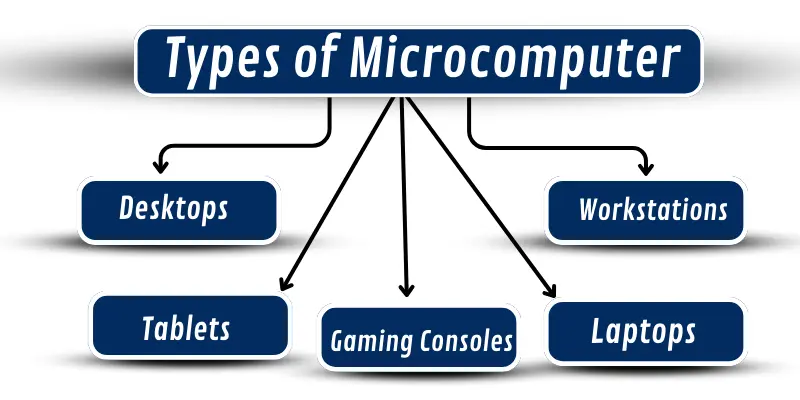
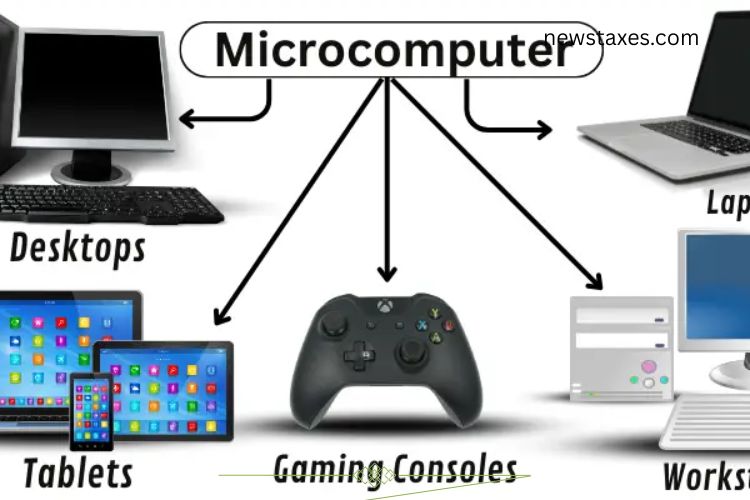
A microcomputer is a small, single-user computer that uses a microprocessor as its central processing unit. Unlike large systems such as mainframes, microcomputers are affordable, compact, and widely accessible. Popular examples include desktops, laptops, tablets, workstations, and gaming consoles.
Desktop Computers
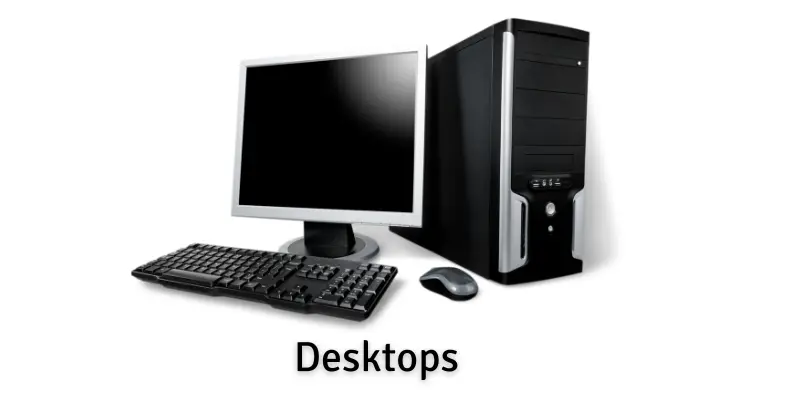
Desktop computers are fixed microcomputers designed to stay in one location, usually on a desk or table. They consist of separate components such as a monitor, keyboard, mouse, and central processing unit. Desktops require a continuous power supply and offer strong performance for everyday tasks.
Uses of Desktop Computers
Desktop computers are commonly used in homes, offices, and educational institutions. Their reliable performance makes them suitable for various activities:
- Office work such as documentation and data entry
- Academic research and online learning
- Graphic design and creative projects
- Gaming with high-end graphics
- Internet browsing and media streaming
Examples of Desktop Computers
- Apple iMac – An all-in-one desktop with a modern design
- HP Pavilion – A versatile option for home and office use
- Dell OptiPlex – Popular in business and educational environments
Advantages of Desktop Computers
Desktop computers offer strong value and performance:
- More powerful than most portable devices
- Affordable compared to similar laptops
- Easy to upgrade internal components
- Larger screens improve productivity
- Comfortable for long working hours
Disadvantages of Desktop Computers
Despite their benefits, desktops have some limitations:
- Lack portability
- Require dedicated space
- Depend on constant power
- Involve more cables and setup
- Difficult to move or store
Laptop Computers
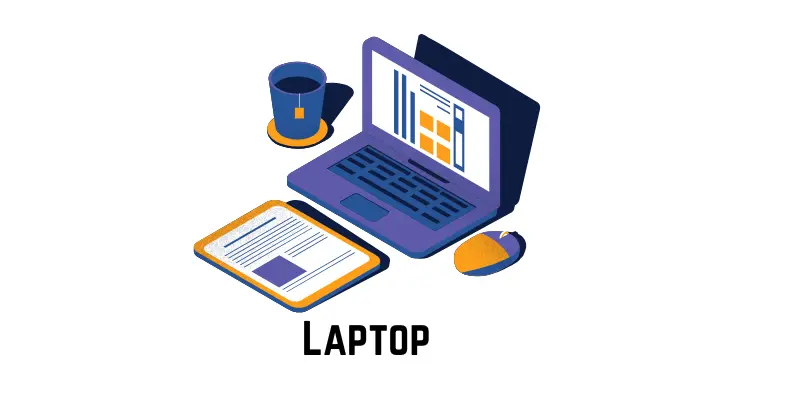
Laptop computers combine portability and performance in a compact design. All essential components, including the screen, keyboard, and hardware, are built into a single unit. Laptops run on battery power, allowing users to work without being plugged in at all times.
Uses of Laptop Computers
Laptops support flexible computing for users who need mobility:
- Online classes and assignments for students
- Office work from home or meetings
- Travel-friendly internet access
- Photo and video editing
- Entertainment such as movies and games
Examples of Laptop Computers
- MacBook Air – Lightweight and efficient for everyday use
- Dell XPS 13 – Known for performance and display quality
- HP Pavilion 15 – Budget-friendly option for students
Advantages of Laptop Computers
Laptops provide convenience and versatility:
- Easy to carry anywhere
- Operate on battery power
- Space-saving all-in-one design
- Suitable for work, study, and entertainment
- Available in various performance levels
Disadvantages of Laptop Computers
- Some drawbacks come with portability:
- Higher cost compared to desktops
- Limited upgrade options
- Battery life reduces over time
- Smaller screens affect comfort
- Less powerful than workstations
Tablet Computers
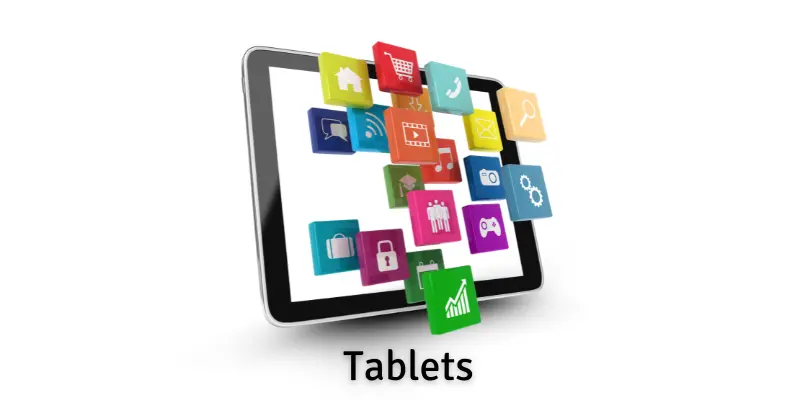
Tablet computers are lightweight, touchscreen-based microcomputers. They do not require a physical keyboard or mouse, as users interact through touch or a digital pen. Tablets offer simplicity and portability for casual computing tasks.
Uses of Tablet Computers
Tablets are ideal for quick and on-the-go usage:
- Reading books and e-books
- Watching videos and streaming content
- Playing games and entertainment apps
- Online classes and presentations
- Video calls and internet browsing
Examples of Tablet Computers
- Apple iPad – Smooth performance with a high-quality display
- Samsung Galaxy Tab – Android-based tablet with a clear screen
- Amazon Fire HD – Affordable option for media consumption
Advantages of Tablet Computers
Tablets focus on ease and mobility:
- Extremely portable and lightweight
- Touchscreen allows easy navigation
- Excellent for reading and media
- Useful for drawing and note-taking
- Quick startup and simple interface
Disadvantages of Tablet Computers
Tablets are not suitable for all tasks:
- Limited storage capacity
- Slower performance for heavy software
- Typing becomes uncomfortable for long use
- Fewer ports for external devices
- Not ideal for programming or advanced work
Workstations
Workstations are high-performance microcomputers built for demanding professional tasks. They feature powerful processors, large memory capacity, and advanced graphics cards. These systems handle complex workloads efficiently and reliably.
Uses of Workstations
Professionals rely on workstations for intensive computing:
- Engineering and mechanical design
- Video editing and animation
- Scientific research and data analysis
- Architectural modeling
- Medical and laboratory applications
Examples of Workstations
- Dell Precision – Designed for engineering and 3D work
- HP Z Series – Optimized for creative professionals
- Lenovo ThinkStation – Used in research and medical fields
Advantages of Workstations
Workstations deliver superior performance:
- High-speed processors
- Support large and complex files
- Advanced graphics capabilities
- Stable performance for long hours
- Built for durability and heavy use
Disadvantages of Workstations
Powerful performance comes with trade-offs:
- Expensive to purchase and maintain
- Consume more electricity
- Require larger space
- Heavy and difficult to move
- Complex setup for beginners
Gaming Consoles
Gaming consoles are specialized microcomputers designed mainly for entertainment. They connect to televisions or monitors and provide an easy gaming experience. Consoles appeal to users of all ages due to their simplicity and performance.
Uses of Gaming Consoles
Gaming consoles offer more than just games:
- Playing single-player and multiplayer games
- Online gaming with friends
- Streaming movies and TV shows
- Watching videos on media platforms
- Home entertainment setup
Examples of Gaming Consoles
- PlayStation – Known for exclusive games and graphics
- Xbox – Offers online gaming and multimedia features
- Nintendo Switch – Portable console for home and travel use
Advantages of Gaming Consoles
Gaming consoles are user-friendly and fun:
- High-quality graphics and sound
- Simple installation and setup
- Multiplayer and online options
- Portable models available
- Large variety of games
Disadvantages of Gaming Consoles
Entertainment-focused design limits usage:
- High initial cost
- Require a TV or monitor
- Additional accessories increase expense
- Games can be costly
- Not suitable for work or productivity
Frequently Asked Questions:
What is a microcomputer?
A microcomputer is a small, single-user computer that uses a microprocessor as its central processing unit. It is designed for personal and professional tasks.
What are the main types of microcomputers?
The main types of microcomputers include desktop computers, laptops, tablets, workstations, and gaming consoles.
Which microcomputer is best for everyday use?
Laptops and desktops are best for everyday use because they support common tasks such as studying, working, browsing the internet, and entertainment.
How is a desktop computer different from a laptop?
A desktop computer stays in one place and offers higher performance, while a laptop is portable and runs on battery power.
Are tablets considered microcomputers?
Yes, tablets are microcomputers because they use microprocessors and support basic computing tasks like browsing, reading, and media consumption.
What is a workstation used for?
A workstation is used for heavy and professional tasks such as video editing, 3D design, engineering, and scientific research.
Are gaming consoles microcomputers?
Gaming consoles are a type of microcomputer designed mainly for gaming and digital entertainment.
Conclusion
Microcomputers have become an essential part of modern life, supporting everything from education and work to creativity and entertainment. Each type of microcomputer—desktops, laptops, tablets, workstations, and gaming consoles—offers unique features designed for specific needs. While desktops and laptops handle everyday tasks efficiently, tablets provide portability, workstations deliver high performance for professional work, and gaming consoles focus on immersive entertainment. Understanding these essential types of microcomputers helps users choose the right device, improve productivity, and make smarter technology decisions based on their personal or professional requirements.