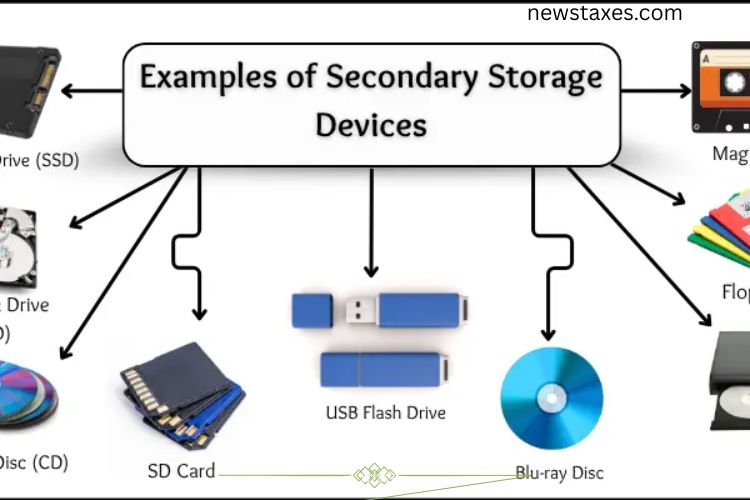
Secondary storage devices are essential for saving data for the long term. Unlike primary memory, which is temporary, these devices store data even when the computer is turned off. They come in various forms, including magnetic, optical, and solid-state storage, each designed for specific needs. Understanding these devices helps you choose the right storage solution for personal or professional use.
Read More: Essential Laptop Components: Unlock the Power and Secrets of Your Device
Hard Disk Drive (HDD)
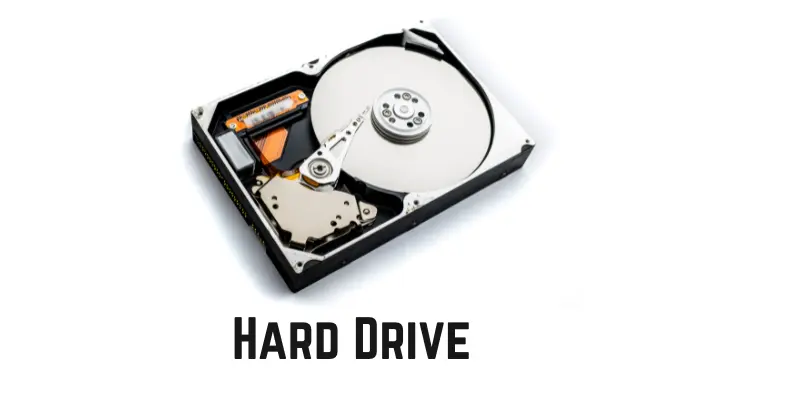
A Hard Disk Drive is one of the most widely used storage devices. It stores large amounts of data, including videos, games, and documents, safely even when the computer is powered off. HDDs operate using magnetic storage and feature moving parts, which makes them slower than newer technologies but still cost-effective.
Key Features of HDD:
- Stores large volumes of data (500 GB, 1 TB, or more)
- Non-volatile memory retains data without power
- Uses spinning disks for magnetic storage
- Located inside the computer case
- Lower cost but slower compared to SSD
Solid State Drive (SSD)
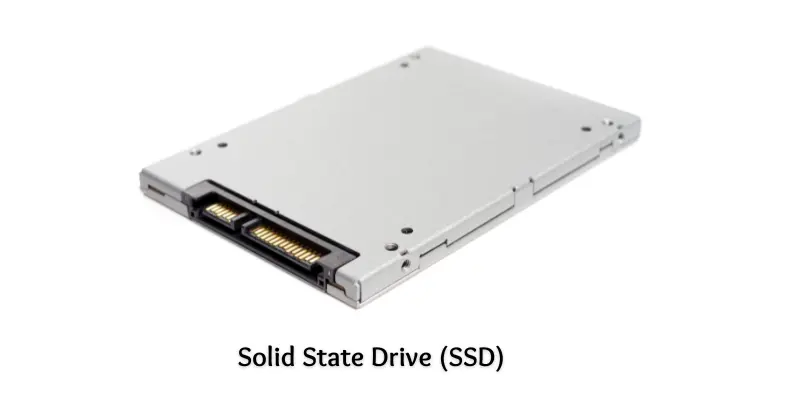
Solid State Drives have revolutionized storage by providing fast, silent, and reliable data access. Unlike HDDs, SSDs contain no moving parts, which reduces power consumption and increases durability. They are ideal for modern laptops and high-performance computers.
Key Features of SSD:
- Fast data storage and retrieval
- Non-volatile memory keeps data safe
- Uses flash memory technology
- Lightweight, compact, and energy-efficient
- No noise due to lack of moving parts
Magnetic Tape
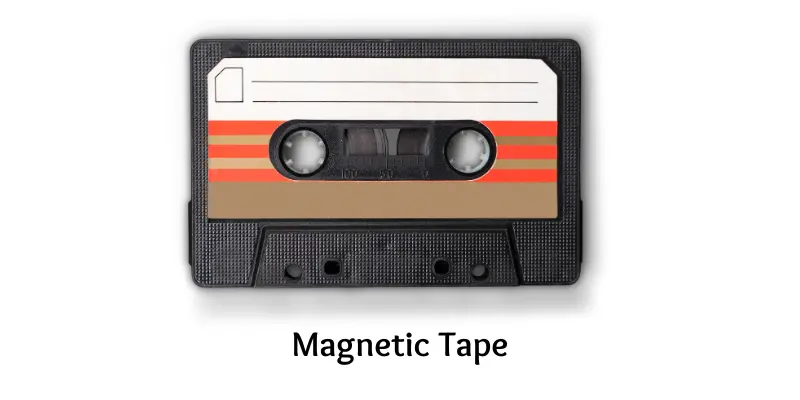
Magnetic tape is a long-standing storage method primarily used for backups. It consists of a long plastic strip coated with magnetic material. While slower than other devices, it is highly cost-effective and can store massive amounts of data. Large organizations often rely on magnetic tape for archival purposes.
Key Features of Magnetic Tape:
- Stores massive amounts of data, including terabytes
- Sequential access requires a tape drive
- Cost-effective for long-term storage
- Non-volatile and portable
- Slower read/write speed compared to modern devices
Floppy Disk
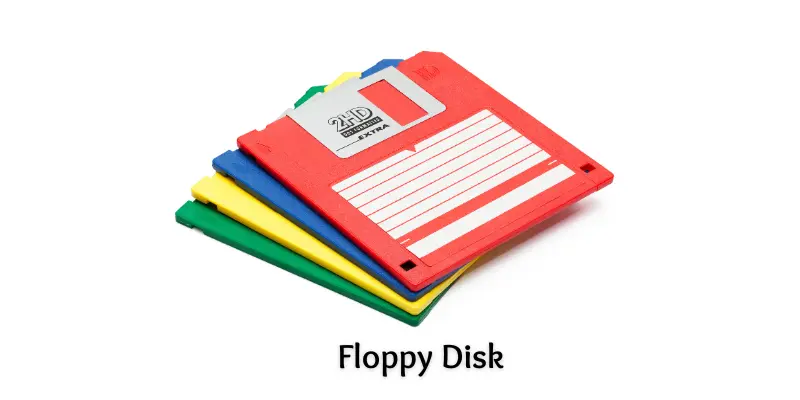
Floppy disks were once common for saving small files and transferring data between computers. They are thin, portable, and reusable, but their storage capacity is extremely limited by today’s standards. Modern devices have rendered floppy disks almost obsolete.
Key Features of Floppy Disk:
- Stores small amounts of data (around 1.44 MB)
- Uses a magnetic disk inside a square protective cover
- Lightweight and portable
- Requires a floppy disk drive
- Very slow compared to contemporary storage devices
Disk Packs
Disk packs were early storage solutions for large computers and mainframes. They consist of multiple magnetic disks stacked together. Although they offered significant storage for their time, they are large, heavy, and now outdated.
Key Features of Disk Packs:
- Large storage capacity for older systems
- Non-volatile and removable
- Multiple magnetic disks in a single unit
- Mostly used in mainframe computers
- Obsolete due to size and speed limitations
Compact Disc (CD)
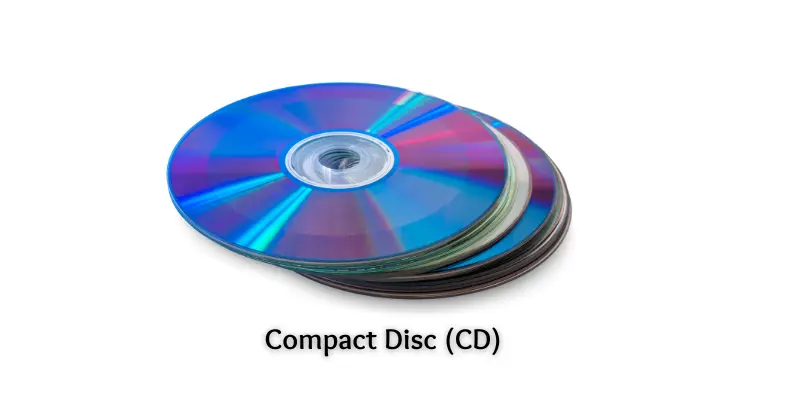
Compact Discs are optical storage devices used to store music, videos, and data files. They work by reflecting laser light to read data. CDs remain popular for sharing media and small-scale storage, even though digital downloads have reduced their widespread use.
Key Features of Compact Disc:
- Stores up to 700 MB of data
- Lightweight, portable, and durable
- Requires a CD drive to read/write
- Non-volatile, preserving data without power
- Cost-effective for music and software
DVD (Digital Versatile Disc)
DVDs improved on CD technology by offering higher capacity and the ability to store large files such as movies or software. They use optical storage and are widely compatible with computers and DVD players.
Key Features of DVD:
- Stores between 4.7 GB and 8.5 GB
- Non-volatile and portable
- Supports video, software, and large files
- Requires a DVD drive
- Reusable if using DVD-RW discs
Blu-ray Disc
Blu-ray Discs offer high-definition video and large storage capacity. They are ideal for HD and 4K movies and provide better durability compared to CDs and DVDs. Blu-ray drives are required to read or write these discs.
Key Features of Blu-ray Disc:
- Stores 25 GB (single-layer) or 50 GB (dual-layer)
- Non-volatile, durable, and portable
- Uses blue laser technology for high-quality data reading/writing
- Scratch-resistant and long-lasting
- Ideal for HD and 4K content
USB Flash Drive (Memory Stick)
USB flash drives are portable, fast, and convenient. They use solid-state technology to store data and can easily transfer files between devices. Flash drives are ideal for students, professionals, and anyone needing quick, reliable storage.
Key Features of USB Flash Drive:
- Stores 2 GB to 1 TB or more
- Fast read/write speeds
- Solid-state, durable, and portable
- Reusable and easy to plug into any USB port
- No moving parts, reducing the risk of damage
SD Card
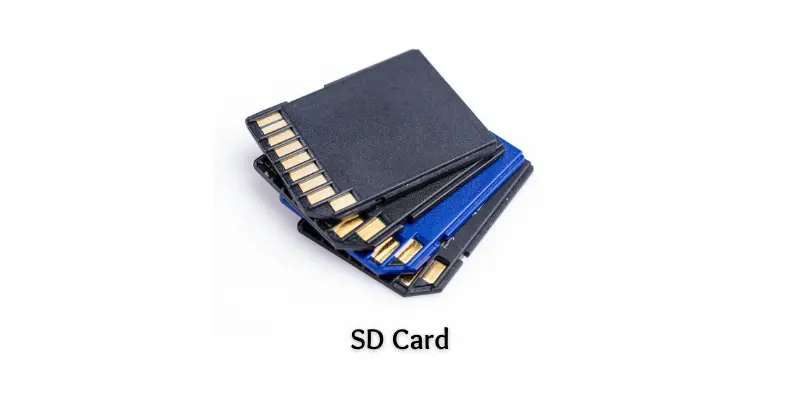
SD cards are small, lightweight storage devices used in mobile phones, cameras, and tablets. They are removable, portable, and provide fast data access. SD cards are versatile, allowing users to expand storage in multiple devices.
Key Features of SD Card:
- Stores a few MBs up to 1 TB or more
- Non-volatile and fast
- Compact and lightweight
- Removable and reusable
- Works silently with no moving parts
Frequently Asked Questions:
What are secondary storage devices?
Secondary storage devices are hardware used to store data permanently. Unlike primary memory (RAM), they retain information even when the power is off. Examples include HDDs, SSDs, CDs, DVDs, and USB drives.
What is the difference between HDD and SSD?
HDDs use spinning magnetic disks to store data and are cost-effective but slower. SSDs use flash memory, have no moving parts, are faster, lighter, and consume less power.
Are USB flash drives considered secondary storage?
Yes. USB flash drives are portable secondary storage devices that store data using solid-state technology. They are small, reusable, and easy to connect to computers.
Can DVDs and Blu-ray discs store large amounts of data?
Yes. DVDs typically store 4.7–8.5 GB, while Blu-ray discs can hold 25–50 GB, making them ideal for videos, software, and high-quality media storage.
Why do companies still use magnetic tape?
Magnetic tape is inexpensive, portable, and can store massive amounts of data. Companies use it mainly for long-term backups and archival purposes.
Are floppy disks and disk packs still in use?
No. Floppy disks and disk packs are largely obsolete due to low storage capacity and slow performance compared to modern devices like SSDs and USB drives.
Which secondary storage device is best for mobile devices?
SD cards are ideal for mobile devices, cameras, and tablets. They are compact, lightweight, removable, and provide fast and reliable storage.
Conclusion
Secondary storage devices are the backbone of modern computing, providing reliable, long-term data storage. From traditional magnetic drives like HDDs and floppy disks to high-speed SSDs, optical media such as CDs, DVDs, and Blu-ray discs, and portable options like USB drives and SD cards, each device serves unique purposes. Choosing the right storage device depends on factors like capacity, speed, portability, and cost. By understanding these essential examples, you can make informed decisions to store, protect, and access your data efficiently, ensuring it remains safe and accessible for years to come.